
Heads up: this post contains affiliate links, and I may earn a commission if you buy through them, at no extra cost to you.
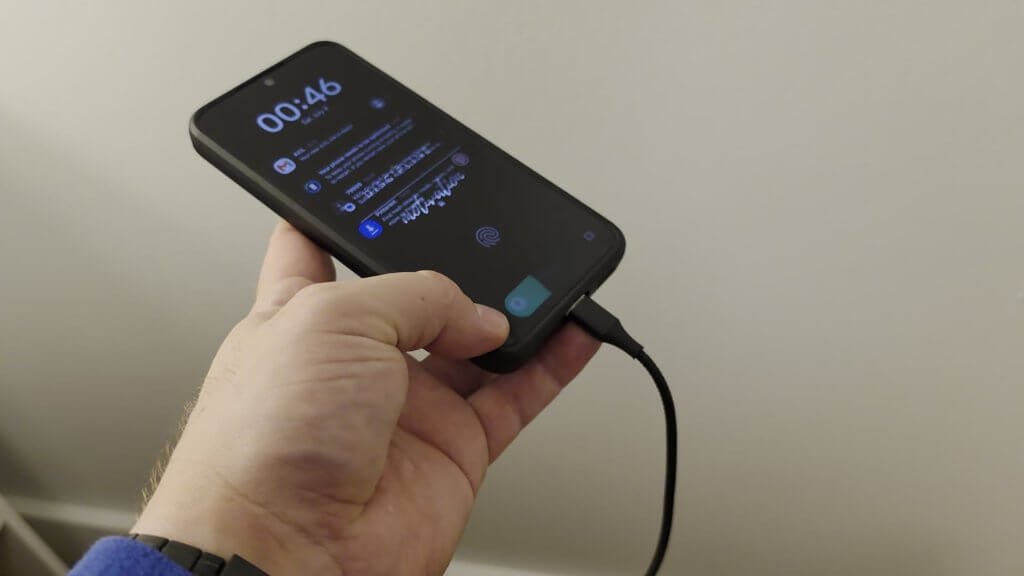
This is the NETDOT magnetic USB cable. It’s braided, it has a light that shows if there’s power, and I have the 6-foot length.
The real reason I use it isn’t the light or the braid, though. It’s what happens to your phone’s charging port when the phone gets dropped while it’s plugged in.
Quick take
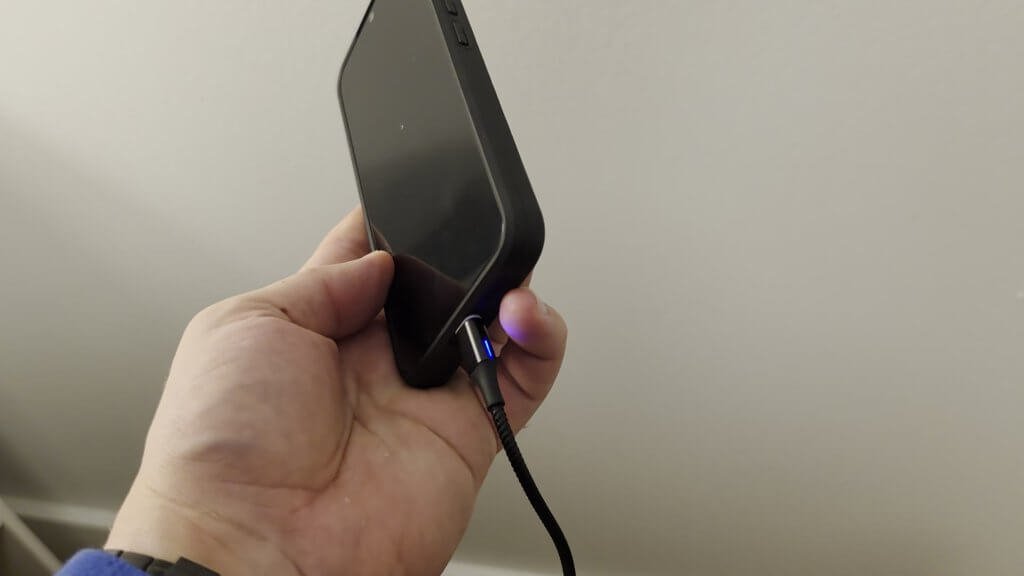
- The magnetic tip pops off if the phone is dropped, so the charging port doesn’t take the pressure
- Swappable tips. Mine is USB-A to USB-C, but you can change the tip to other connector types
- One cable for multiple devices once each device has a tip in it
- Works great in the car with a car kit. The phone just clips on
- The catch: the little tip stays in your phone, so you need a tip for every device you want to charge
What I liked
It protects the charging port
Typically, whenever a phone is dropped, the USB port is the first thing to go. I’ve had several phones go bad because they were dropped with the charger cable in, and then the port gets really wiggly and doesn’t make contact.
With this cable, if anything happens, it just pops right off. That takes away that main pressure point.
No fumbling in the car
I also have one in my car with a car kit. I just slide my phone in and it clips on magnetically, so it’s not something where you have to fumble to get a cable in.
One cable across my devices
I have all my devices fitted with these little USB-C or other USB tips. That lets me keep one cable that I can use across multiple devices.
Things to know before you buy
- The tip lives in your phone. It just stays on, you use your phone as normal, and the cable pops on when you need it.
- Plan on a tip per device if you want the one-cable setup like mine.
What I didn’t cover
This is a short video, so I didn’t test charging speed, data transfer or how the magnets hold up over the long term.
Install notes
There’s nothing to install. Put a tip in the port of each device, and the cable snaps onto it.
Specs from the Amazon listing
These come from the Amazon listing title. I didn’t test them myself:
- N. NETDOT Gen10 nylon braided 2-in-1 magnetic charger
- Compatible with USB-C and Micro-USB devices
- 6.6 ft, 3 pack, black
Who it’s for
Good fit if you: charge in the car, have more than one device, or have already lost a phone to a wiggly charging port.
Maybe skip it if you: don’t want a small tip sitting in your phone’s port all the time.
Bottom line
It’s an easy option that takes the main pressure point off your charging port, and it makes charging in the car a lot simpler.
Price and availability change on Amazon, so check the listing for current details.
As an Amazon Associate I earn from qualifying purchases.