
Heads up: this post contains affiliate links, and I may earn a commission if you buy through them, at no extra cost to you.
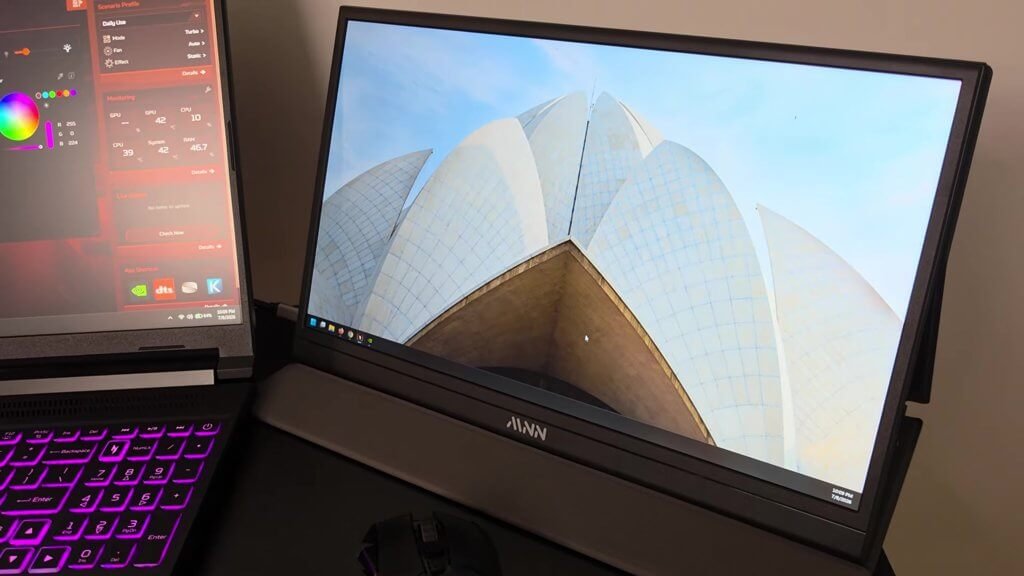
This is the MNN portable monitor. It can be used with a laptop, a phone or anything that plugs into HDMI, and it’s become part of my laptop travel kit.
I don’t think you can beat the price and the value of having an extra screen. There’s one thing to know if you plan to use HDMI, though.
Quick take
- 1080p resolution, and the size of the icons is perfect for a screen this size
- Fold-in stand that doubles as a protective cover
- Thin enough to fit in a backpack with a laptop
- USB-C or HDMI. One USB-C cable can carry power and video from the laptop
- The catch: on HDMI it still needs USB-C plugged in for power
What I liked
The picture
I have it hooked up to my laptop, and the 1080p resolution means even the size of the icons is perfect for this monitor.
The fold-in stand and cover
The stand folds in, and it’s a nice thin option. It also folds up as a protective cover, so it fits easily next to a laptop in a backpack without taking up much space.

Simple controls and ports
There’s an auxiliary port for headphones or audio, the power button and a multi-function button. Push it down first for volume, or up first for brightness.
On the other side there are two USB-C connectors and a mini HDMI. It comes with a USB-C cable and an HDMI cable.
One cable from the laptop
If you’re just using the USB-C cable, it draws power and video from the laptop.
Things to know before you buy
- HDMI still needs power. If you use the HDMI cable, you’ll have to plug the USB-C in just to power the monitor.
- It’s a single screen. I’ve seen other options that go on both sides of the laptop, but they’re a lot more expensive.
What I didn’t cover
I didn’t test battery drain on the laptop, color accuracy or gaming on it in this video.
Install notes
There’s no software to set up. Plug in USB-C (power and video), or HDMI plus USB-C for power.
The laptop in the video is my Acer Nitro V 16S. I wrote it up in my Acer Nitro V 16S review.
Specs from the Amazon listing
These come from the Amazon listing title. I didn’t test them myself:
- MNN 15.6-inch FHD portable monitor
- 60Hz, IPS, HDR
- USB-C and HDMI
Who it’s for
Good fit if you: travel with a laptop and want a second screen that packs flat.
Maybe skip it if you: want screens on both sides of your laptop.
Bottom line
So far I’m very impressed. It’s a must-have part of my laptop travel kit.
Price and availability change on Amazon, so check the listing for current details.
As an Amazon Associate I earn from qualifying purchases.