

Heads up: this post contains affiliate links, and I may earn a commission if you buy through them, at no extra cost to you.
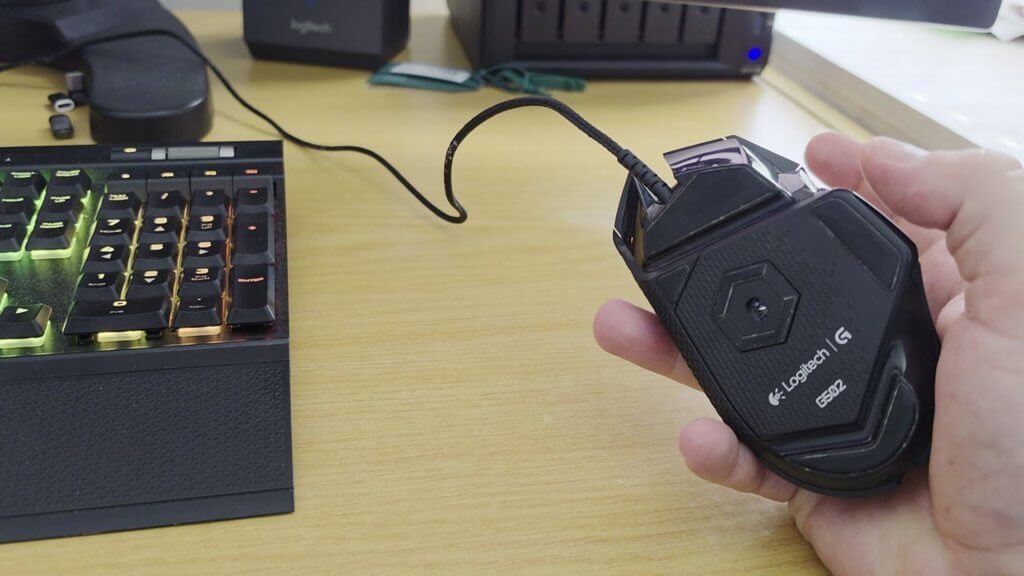
This is the Logitech G502 wired gaming mouse. It’s sold as a gaming mouse, but it gives me a lot of productivity for work.
How I set up the buttons
A few things I typically have set: the button by my thumb gives me a select all, and two buttons are copy and paste, so in a spreadsheet I can hit a one-click copy and a one-click paste.
The scroll wheel
The scroll has very defined clicks, but you can hit a button that lets it spin freely. In spreadsheets it works really well.
Weights
There’s an option to add weight to the mouse. I like it light, so I leave the weight slots empty.
Five years in
I’ve had this mouse for about five years, and I’ve put the exact same model on every computer I use so my setup is consistent everywhere. I own several of them.
Specs from the Amazon listing
These come from the Amazon listing title. I didn’t test them myself:
- Wired: Logitech G502 Hero, Hero 25K sensor, 25,600 DPI, RGB, adjustable weights, 11 programmable buttons, on-board memory, PC/Mac (Renewed listing)
- Wireless: Logitech G502 Lightspeed, Hero 16K sensor, 16,000 DPI, adjustable weights, 11 programmable buttons
Prefer no cable? Here’s the wireless G502.
Price and availability change on Amazon, so check the listing for current details.
As an Amazon Associate I earn from qualifying purchases.