

Heads up: this post contains affiliate links, and I may earn a commission if you buy through them, at no extra cost to you.
I swapped the radio in my 2019 F-150 XLT Sport 4×4 for a 10.33-inch Android radio I found on Amazon. The truck had the bigger radio from the factory.
There are two companies that sell this radio on Amazon, ApexNav and AINAVI, so check both for the best deal. This post covers the unboxing and how I use it now that it’s in.
Quick take
- It runs Android, so apps like YouTube and Rumble run on the radio itself
- Split screen, like maps on one side and another app on the other
- Android Auto and Apple CarPlay through the T-link app
- Steering wheel controls still work for volume and skipping songs
- The catch: Android Auto and wireless CarPlay use your phone’s Wi-Fi, so the radio loses its own internet while they’re running
What’s in the box
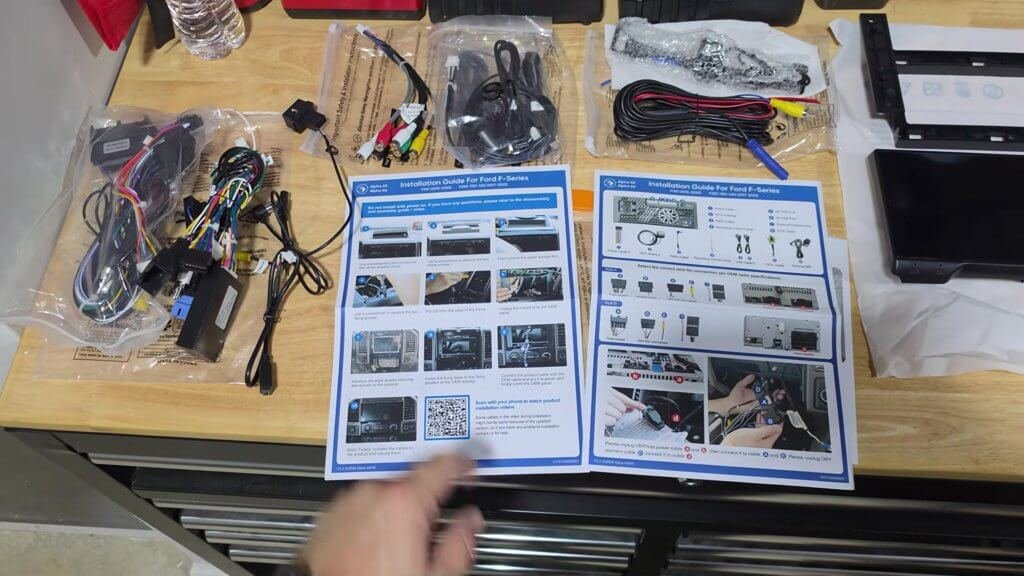
It came with bundles of wiring, the navigation unit, a trim removal tool, the manuals, the mounting frame and a backup camera, which I won’t be using.
There’s a pretty comprehensive installation guide, and installation videos are available too. The unit clips into the frame that gets installed in the truck.
What I liked
It’s a full Android radio
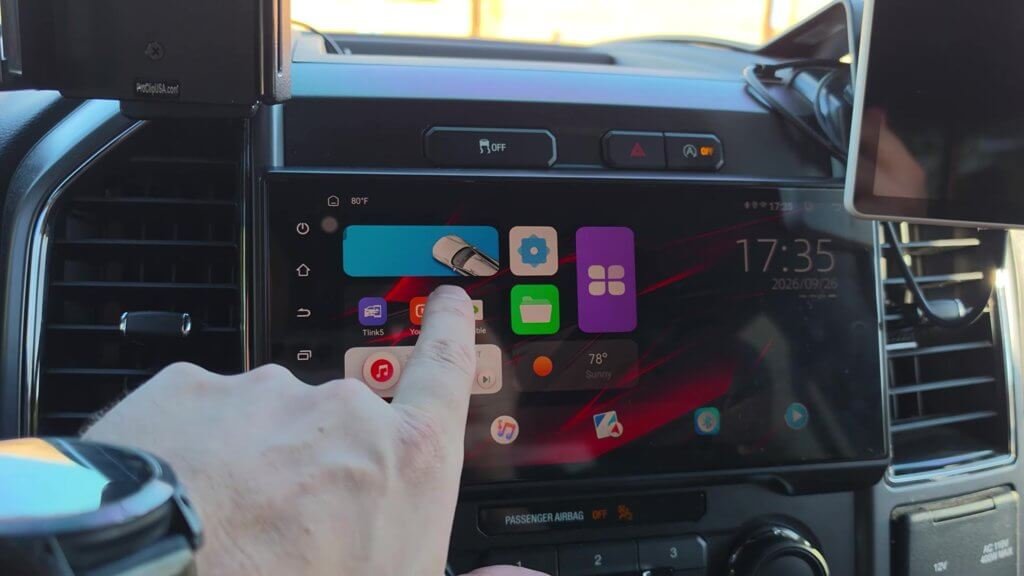
I have my phone connect to the radio over Bluetooth automatically, and an automation on my phone turns on a hotspot that gives the radio internet. That means you can use YouTube, Rumble or any of those apps on the radio itself.
Split screen
You can drag maps to one side and have another app on the other side. Only watch anything while you’re parked, which is what I’d recommend.
Android Auto and CarPlay when you want them
The T-link app is what runs Android Auto and Apple CarPlay. I went into its settings without a device connected and turned off auto-connect. If you want it to go into Android Auto every time you get in the truck, you can leave it on.
Steering wheel controls still work
Volume up and down and skipping to the next or previous song on the steering wheel still work with this radio.
It looks like it belongs
It’s a nice upgrade, and it looks good in the truck. It doesn’t look out of place.
Things to know before you buy
- Android Auto and wireless CarPlay take over your phone’s Wi-Fi. Once you open them, the radio loses its internet connection. That’s why I turned off auto-connect and use the radio’s own apps with my phone over Bluetooth.
- You can’t run everything at once in Android Auto. I like having GPS, Bluetooth calling and YouTube open at the same time, which isn’t possible in Android Auto.
- The backup camera is included, but I’m not using it.
What I didn’t cover
I didn’t cover sound quality, screen glare, or how the radio works with the backup camera.
Install notes
I’m working from the included installation guide. You’ll find my install guide video on the channel.
Specs from the Amazon listing
These come from the Amazon listing title. I didn’t test them myself:
- Car radio stereo for Ford F150 2015-2020 and F250/F350/F450 Super Duty 2017-2022
- 10.33-inch screen
- CarPlay and Android Auto
Who it’s for
Good fit if you: have a 2015-2020 F-150 and want Android apps, split screen and CarPlay or Android Auto on a bigger screen.
Maybe skip it if you: want to keep the factory radio, or don’t want to set up a hotspot for apps.
Bottom line
Overall I think it’s really cool, and it’s a nice upgrade. My truck’s steering wheel controls still work, and it fits in like it came that way. Check both sellers below for the better price.
Price and availability change on Amazon, so check the listing for current details.
As an Amazon Associate I earn from qualifying purchases.