
Heads up: this post contains affiliate links, and I may earn a commission if you buy through them, at no extra cost to you.
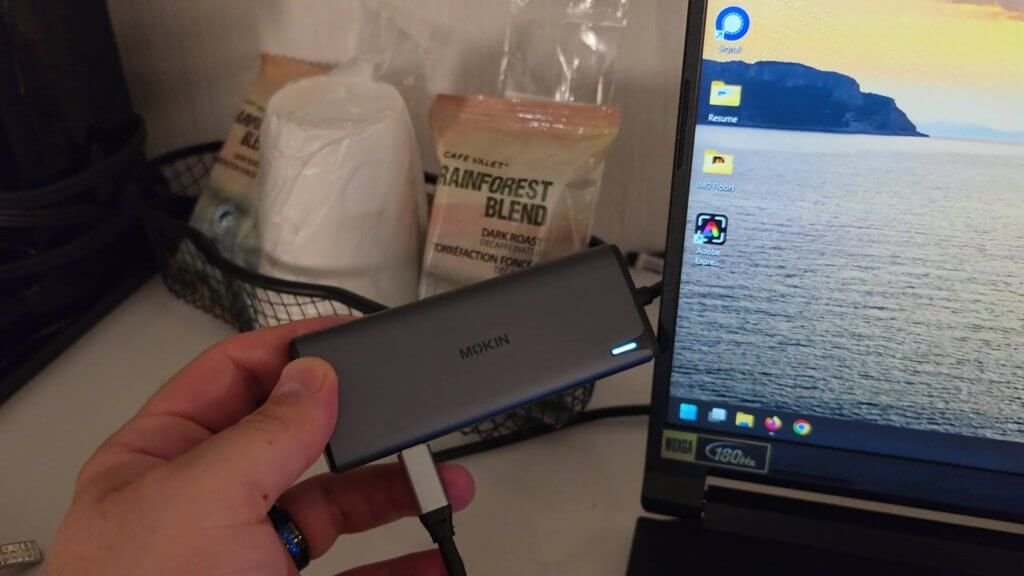
This is a MOKiN USB-C adapter that gives you two DisplayPorts and two USB 3.1 ports from one USB-C. I got it because I only have one USB-C on the back of my laptop, and I may want to use it with two monitors.
Below is how I’m using it, what the build looks like, and why I’d put it in a laptop travel kit.
I bought this adapter myself.
Quick take
- MOKiN USB-C splitter that turns one USB-C port into two DisplayPorts and two USB 3.1 ports
- Power light where it’s plugged into the computer
- Pretty thin, about the size of those USB ports
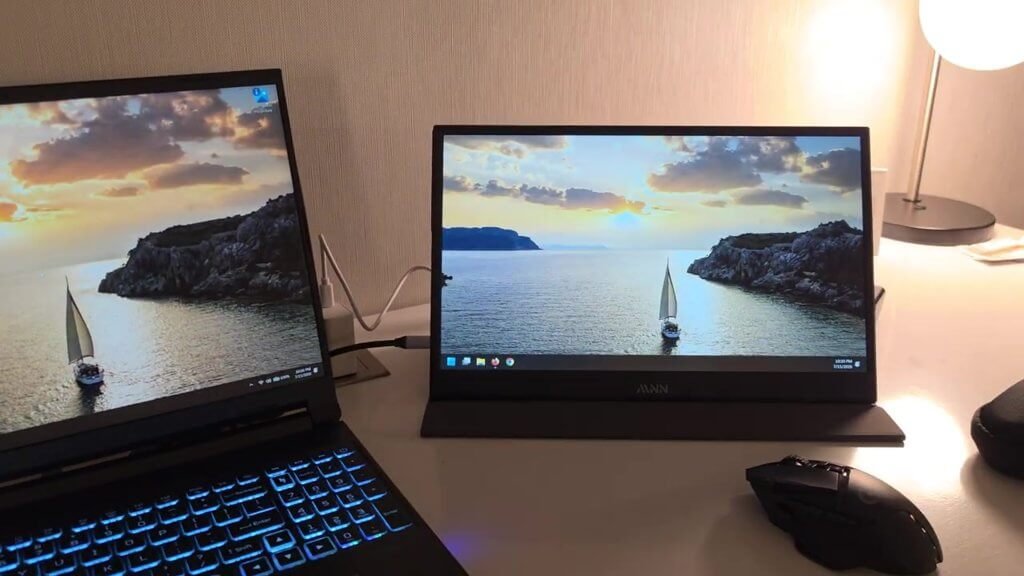
- I’m currently using it with one USB-C display, and I’ve also tested it with two screens, just not in the video
- The catch: my video only shows the one-monitor setup
What I liked
One USB-C, two displays and more ports
The laptop only has the one USB-C on the back, so doing it this way gives me two displays and additional USB-C ports that I can plug into the computer. It gives me the ability to have two monitors plugged in.
Thin and easy to pack
It’s pretty thin. You can see that just by the size of those USB ports, with your two display sides on there and additional USB-C ports.
A power light
It has a light for power where it’s plugged into the computer, so you can tell at a glance that it’s connected.
Things to know before you buy
- My video shows one external monitor. I’ve also tested it with two screens, just not in this video.
- This is a walkthrough, not a speed or resolution test. I didn’t measure data transfer, charging or refresh rates on camera.
What I didn’t cover
The listing mentions 4K@60Hz, 100W power delivery, 10Gbps USB data, and that dual extended displays are not for macOS. I didn’t test those claims in the video, so treat them as listing text and check that your laptop’s USB-C port supports video output.
Specs from the Amazon listing
These come from the Amazon listing title. I didn’t test them myself:
- Brand: MOKiN (shown)
- Ports: 2x DisplayPort-side video outputs + 2x USB 3.1 (as I describe it in the video)
- Power indicator light (shown)
- 4K@60Hz DP Alt Mode (listing)
- 100W PD pass-through (listing)
- 10Gbps USB 3.1 data (listing)
- Not for macOS dual extend display (listing)
Who it’s for
Good fit if you: travel a lot with a laptop that has only one USB-C port and want to use external monitors.
Maybe skip it if you: need a lab-tested dock with measured speeds and charging numbers, which I didn’t cover here.
Bottom line
The MOKiN adapter takes the one USB-C on the back of my laptop and gives me two displays plus additional USB-C ports. It’s thin, it has a power light, and I’ve used it quite a bit. I would recommend it as something to put in your kit if you travel a lot with a laptop and want to use external monitors.
Price and availability change on Amazon, so check the listing for current details.
As an Amazon Associate I earn from qualifying purchases.