
Heads up: this post contains affiliate links, and I may earn a commission if you buy through them, at no extra cost to you.
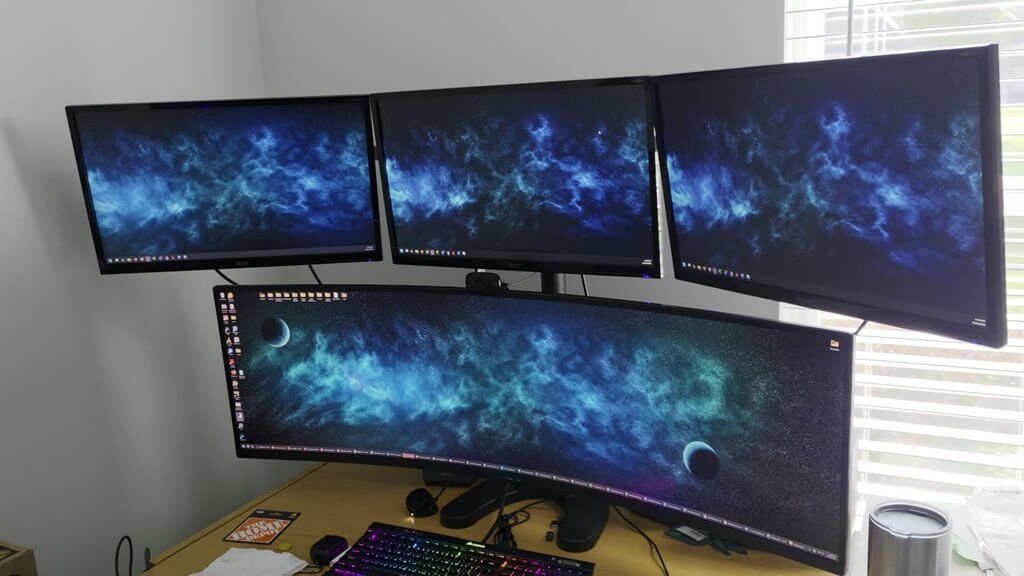
Check out this VIVO four-monitor stand. The pictures on Amazon show three monitors at the bottom and one at the top. I set mine up the other way: the ultrawide at the bottom, and I flipped the arms to put three up top.
My setup
- Bottom: a 49-inch ultrawide
- Top: three 23-inch monitors on the arms
- Base: the stand sits on the desk with the tree, with the mounting brackets on the back
You should still be able to go bigger on the top, because those arms have plenty of movement left.
Things to know
Make the bolts very tight
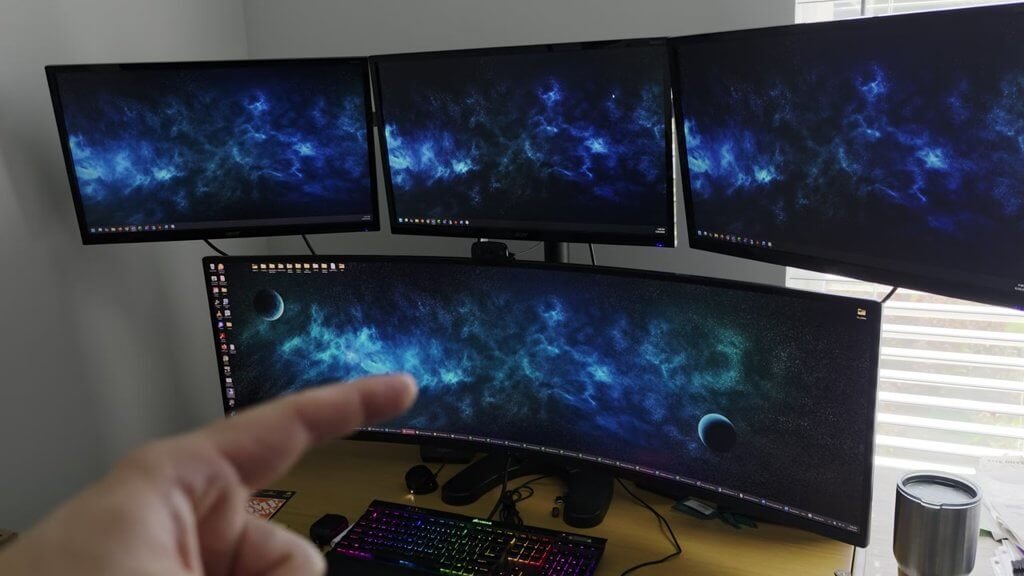
If you mount a big monitor at the bottom like this, you really have to make those bolts tight. It’s adjustable, and the monitor is pretty front heavy, so it will tend to tilt down if the bolts aren’t very tight.
It’s a balancing act
It’s well balanced the way I have it now. But if I took a monitor off, especially the bottom one, it would be top heavy and want to tilt. Same if I swing those arms too far back.
The ultrawide on the bottom is my Samsung 49″ Odyssey OLED G9, which I also reviewed.
Specs from the Amazon listing
These come from the Amazon listing title. I didn’t test them myself:
- VIVO quad monitor freestanding desk stand
- Holds four 13 to 32 inch screens
- 3 plus 1 articulating VESA mount
- Black
- Model STAND-V104F
Bottom line
It works with an ultrawide on the bottom and three 23s up top. Just tighten everything and keep the weight balanced.
Price and availability change on Amazon, so check the listing for current details.
As an Amazon Associate I earn from qualifying purchases.